
Subscriber Experience
This guide explains what your subscribers see when they click the unsubscribe link in your emails. Understanding the subscriber experience helps you design effective unsubscribe pages that maximize retention.
Overview
When subscribers click the unsubscribe link in your emails, they're taken to a Last Chance unsubscribe page instead of being immediately removed from your list. This page gives them options beyond just "goodbye," helping you retain more subscribers while respecting their preferences.
The Unsubscribe Journey
The subscriber experience follows a simple flow:
- Initial Page - Subscriber arrives and sees options
- Action Taken - Subscriber chooses to stay, unsubscribe, pause, or manage preferences
- Confirmation - Subscriber sees a confirmation page based on their choice
Which page do subscribers land on first?
Not every visit starts on the Initial page. Last Chance picks the first screen based on the subscriber's current status in Klaviyo (and any recent actions they took on your Last Chance page):
| First screen | When subscribers see it |
|---|---|
| Initial | They are still subscribed to your list / email marketing in Klaviyo, and have not recently unsubscribed via your Last Chance page |
| Unsubscribed | They already unsubscribed—either on a previous Last Chance visit, via Klaviyo's one-click unsubscribe in an email, or another change in Klaviyo |
| Paused | They previously chose Pause emails and the pause period has not expired |
Examples:
- A subscriber clicks Unsubscribe in your email footer, completes unsubscribe on Last Chance, then clicks the footer link again later → they land on Unsubscribed (not Initial).
- A subscriber uses Klaviyo's quick unsubscribe in an email (without visiting Last Chance), then later clicks your footer link → they land on Unsubscribed so you do not offer retention options to someone who already left.
- A subscriber unsubscribes on Last Chance, then an admin resubscribes them in Klaviyo, then they click the footer link again → they land on Initial again.
After someone takes an action on Last Chance (stay, unsubscribe, resubscribe, pause, etc.), Last Chance trusts that choice for about 15 minutes without re-checking Klaviyo, so the confirmation screen stays stable during the same visit.
If a subscriber is paused, Paused always takes priority over subscribed/unsubscribed.
Initial Page
When a subscriber first arrives at your unsubscribe page, they see the Initial state:

What Subscribers See
- Headline - Your custom message (e.g., "Wait, stay with us!")
- Description - Brief explanation of what they'll get by staying
- Action Buttons - Four main options:
- Stay Subscribed (or "Get My Reward") - Keeps them on your list
- Manage Email Preferences - Customize email frequency and topics
- Pause Emails - Temporarily stops emails
- Unsubscribe - Removes them from your list
Design Elements
- Brand Colors - Matches your brand identity
- Custom Messaging - Personalized copy that resonates with your audience
- Discount Offers - Special incentives to encourage staying
- Professional Design - Builds trust and credibility
Personalized experiences (smart offers)
If you configure segment experiences and smart-offer rules in the page editor, Last Chance evaluates rules when each subscriber loads the live page (using your published HTML plus Last Chance and Shopify-backed context). The first rule that matches determines whether they see the default page or a named experience—HTML overrides you attached to that experience key for Initial and follow-on screens. Subscribers who do not match any rule see the canonical default flow.
For how to set up keys, overrides, and rules in the dashboard, see Getting Started — Segment experiences and smart offers. For analytics by first landing experience, see Analytics — Segment experience.
Stayed Subscribed
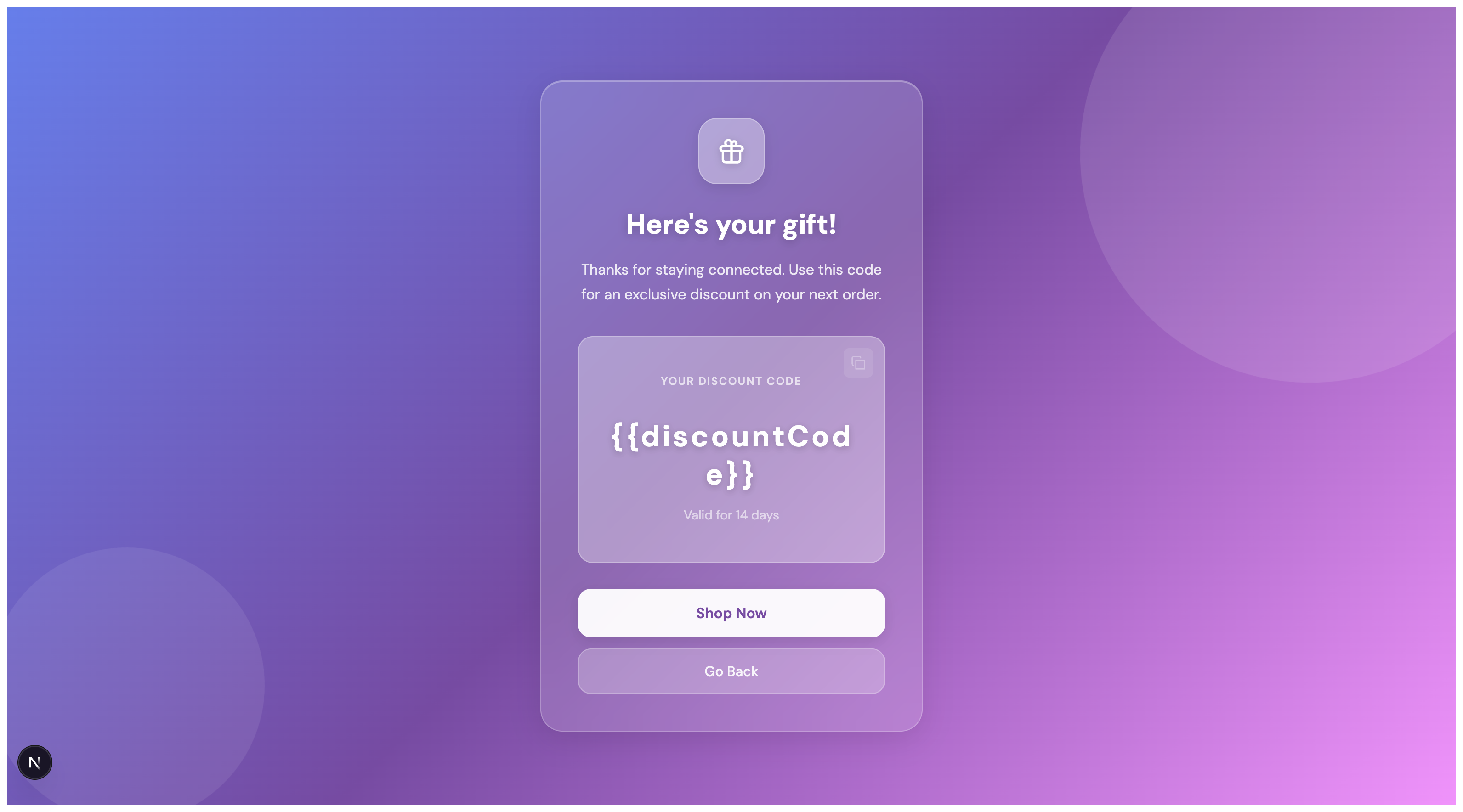
When a subscriber clicks "Stay Subscribed" or "Get My Reward," they see a confirmation page:
What Happens
- Subscriber remains on your email list
- They receive an exclusive discount code (if configured)
- They see a "Shop Now" button to visit your store
- The discount code is automatically applied to the shop URL
Key Features
- Discount Code Display - Prominently shows the code they can use
- Copy Button - Easy way to copy the code to clipboard
- Validity Period - Shows how long the discount is valid
- Call-to-Action - Direct link to shop with discount applied
This page turns a potential unsubscribe into a conversion opportunity.
Unsubscribed
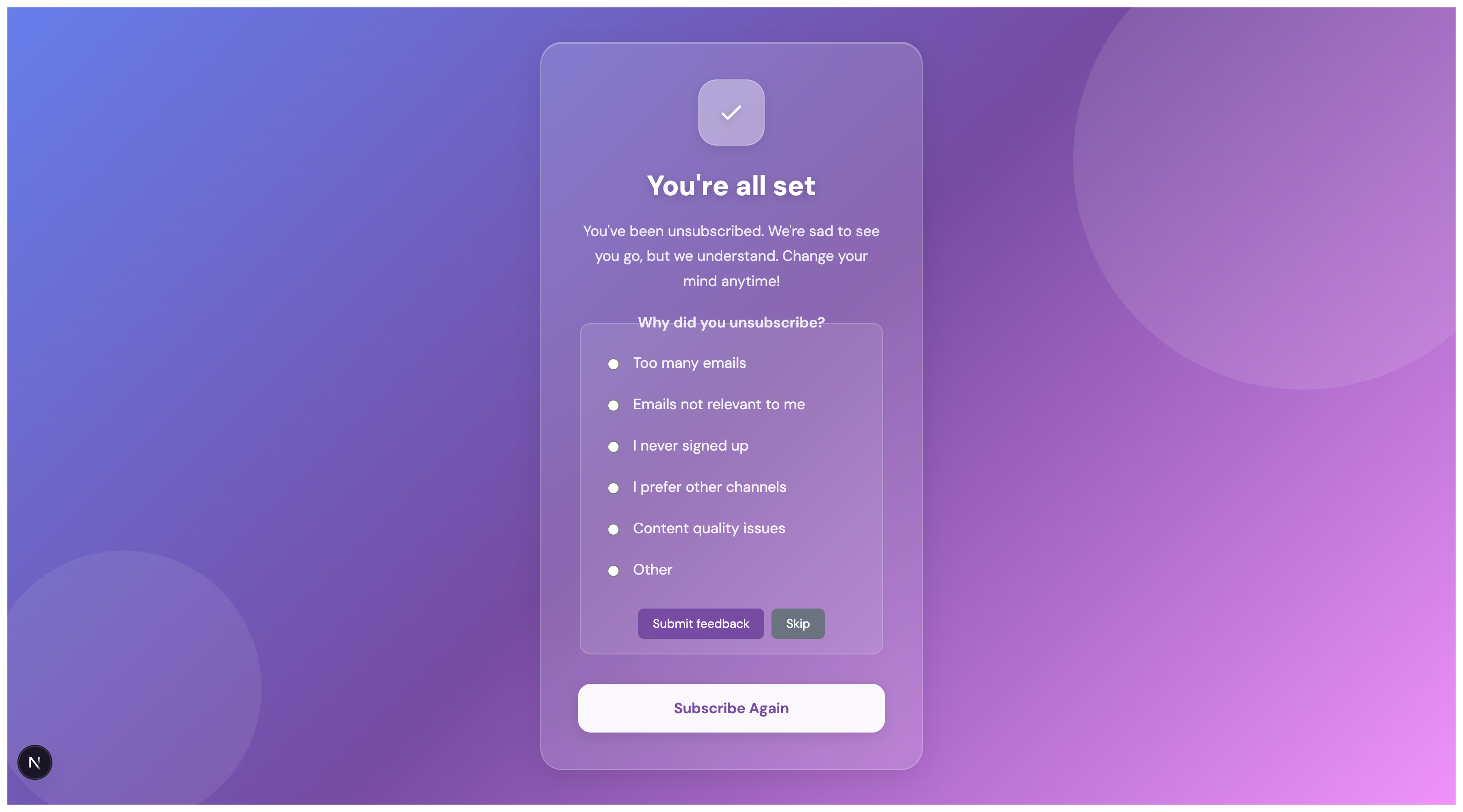
If a subscriber chooses to unsubscribe, they see a confirmation page with an optional feedback form:
What Happens
- Subscriber is removed from your email list
- They see a friendly confirmation message
- They can optionally provide feedback on why they're leaving
- They have the option to resubscribe immediately
Feedback Collection
The unsubscribe page includes a feedback form with common reasons:
- Too many emails
- Emails not relevant to me
- I never signed up
- I prefer other channels
- Content quality issues
- Other (with free-text input)
This feedback helps you:
- Understand why subscribers are leaving
- Improve your email strategy
- Reduce future unsubscribes
Resubscribe Option
Even after unsubscribing, subscribers can immediately resubscribe using the "Subscribe Again" button, making it easy for them to change their mind.
Manage Email Preferences
When a subscriber clicks "Manage Email Preferences," they're taken to a preferences page where they can customize their email experience.
What Subscribers See
-
Frequency Selection - Radio buttons to choose email frequency:
- Weekly
- Monthly
- Quarterly
- (Customizable options based on your settings)
-
Topic Selection - Choose which email types they want. Depending on your page settings, subscribers see either:
- Multiple topics (checkboxes) — select any combination of topics (default)
- Single topic (radio buttons) — pick exactly one topic
- Common options include Promotions & Sales, New Products, Newsletters, Educational Content, and Events & Launches (customizable in your settings)
-
Save Buttons - Separate buttons to save frequency and topics
-
Success Messages - Confirmation when preferences are saved
What Happens
- Subscriber remains on your email list
- Their Klaviyo profile is updated with their preferences
- They can update preferences anytime by returning to the page
- Their preferences are remembered for future visits
Benefits of Preferences
- Better Engagement - Subscribers receive emails they actually want
- Higher Retention - Customization reduces unsubscribe rates
- Respectful - Shows you care about their inbox preferences
- Flexible - Subscribers can change preferences anytime
This option is ideal for subscribers who want to stay but want more control over their email experience.
Paused Emails
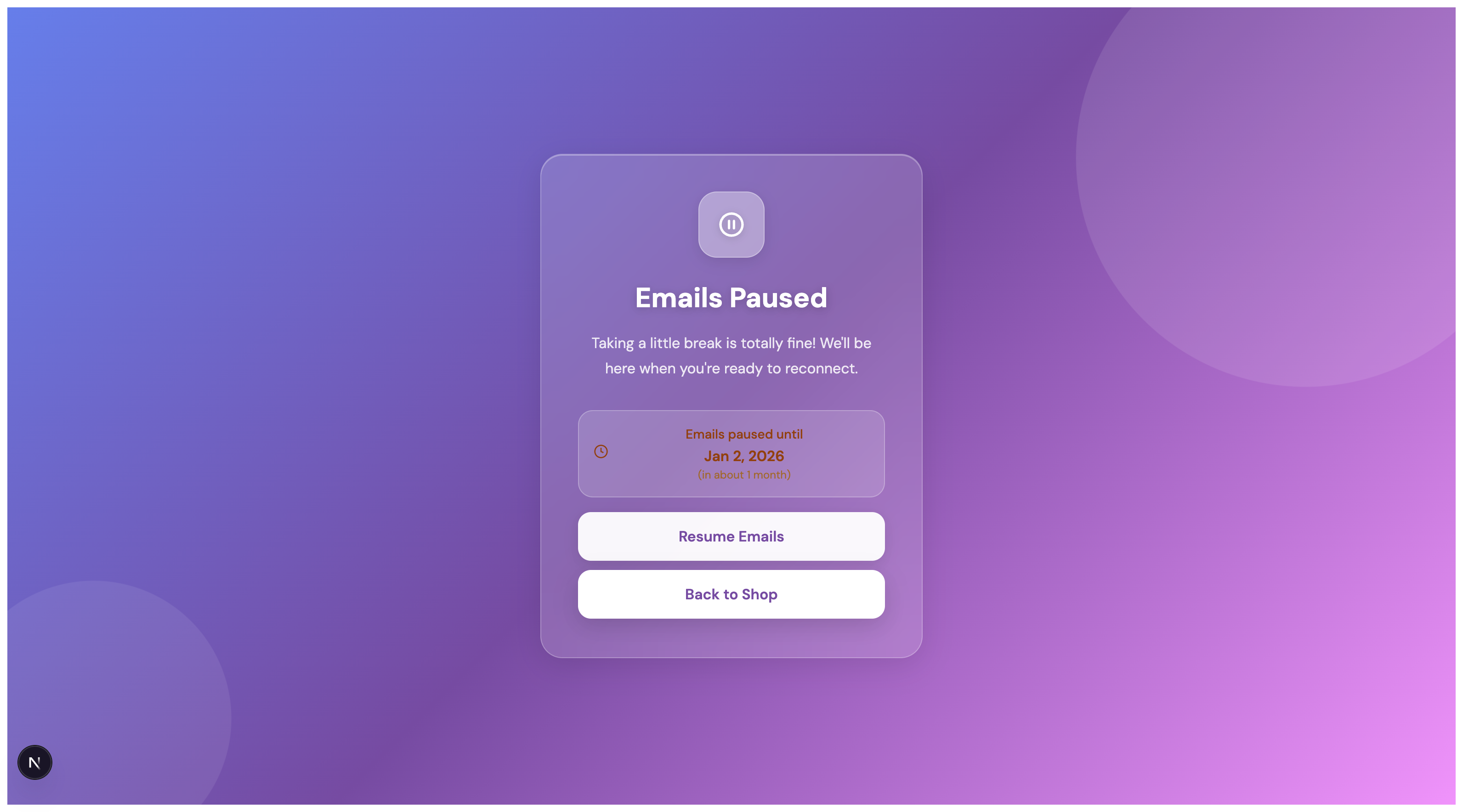
When a subscriber chooses to pause emails, they see a confirmation page:
What Happens
- Emails are paused for a specified duration (e.g., 1 month, 3 months)
- Subscriber remains on your list but won't receive emails during the pause period
- They see when emails will automatically resume
- They can resume emails early if they want
Benefits of Pausing
- Better than Unsubscribing - Keeps the subscriber on your list
- Respects Preferences - Shows you care about their inbox
- Automatic Resume - No action needed when the pause period ends
- Flexible - Subscriber can resume anytime
This option is particularly valuable for subscribers who feel overwhelmed but don't want to leave permanently.
Resubscribed
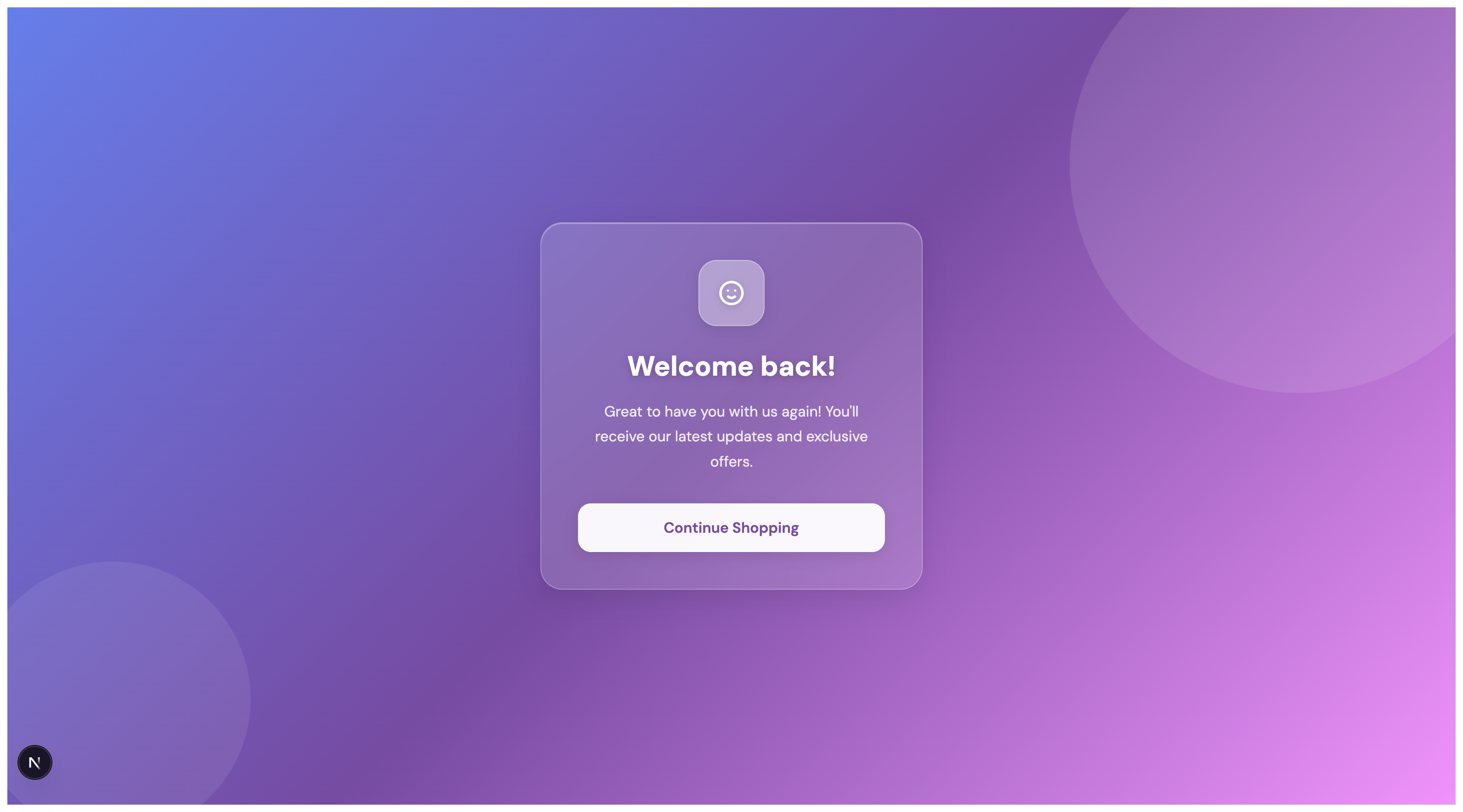
If a previously unsubscribed subscriber chooses to resubscribe, they see a welcome back page:
What Happens
- Subscriber is added back to your email list
- They see a welcoming message
- They can continue shopping with any available discounts
Second Chances
The resubscribe option gives you the opportunity to:
- Win back subscribers who changed their mind
- Show appreciation for their return
- Continue the relationship
Key Features for Subscribers
Mobile-Friendly Design
All unsubscribe pages are fully responsive and work seamlessly on:
- Desktop computers
- Tablets
- Mobile phones
Fast Loading
Pages load quickly to provide a smooth experience, even on slower connections.
Secure and Trustworthy
- HTTPS encryption
- Clear branding
- Professional appearance
- Privacy-respecting design
Accessible
Pages are designed to be accessible to all users, including those using screen readers and other assistive technologies.
Customization Options
As a Last Chance customer, you own and are responsible for everything on your unsubscribe page. You can customize:
- Colors - Match your brand colors
- Fonts - Use your brand typography
- Messaging - Write custom copy for each state
- Discount Codes - Set up exclusive offers
- Page Layout - Design the layout that works best for your audience
Templates provide a starting point; the final content, wording, and design are yours. Ensure your published page always includes a clear, obvious way for subscribers to unsubscribe (for example, a visible "Unsubscribe" button or link).
See the Getting Started Guide for details on customizing your unsubscribe pages.
Best Practices
Clear Messaging
- Use friendly, conversational language
- Explain the value of staying subscribed
- Make it easy to understand the options
Compelling Offers
- Offer meaningful discounts (15-25% off works well)
- Make the offer exclusive to unsubscribe page visitors
- Show the discount code prominently
Respectful Design
- Don't use dark patterns or tricks
- Provide a clear, obvious way to unsubscribe — Subscribers must be able to find and use an unsubscribe option without confusion. Make it easy to unsubscribe if they want to.
- Provide clear feedback on what each action does
Accurate consent language
You control all wording on your unsubscribe page—headlines, button labels, and confirmation messages. Make sure that copy accurately reflects what will happen in your email platform (e.g. Klaviyo):
- Unsubscribe — Removes the subscriber from your list(s), or globally if no lists are linked. They will not receive marketing emails until they resubscribe.
- Pause emails — Stops marketing emails until the date they chose (or until they click to resume). They remain on your list.
- Manage preferences — Saves their frequency and topic choices; those preferences can be used in your email platform for segmentation and targeting.
Clear, accurate language builds trust and ensures subscribers aren’t surprised by what happens after they click. Choices on this page apply only to your brand and the lists or channels you’ve connected—they are not shared with or applied to other companies.
Test Different Approaches
- Try different headlines and copy
- Test different discount amounts
- Use A/B testing to find what works best
See the A/B Testing Guide for more on testing your pages.
Understanding the Impact
Retention Rate
The retention rate shows what percentage of visitors choose to stay subscribed rather than unsubscribe. A good retention rate is typically:
- 20%+ - Good
- 40%+ - Great
- 60%+ - Excellent
Conversion Opportunities
Even subscribers who unsubscribe can still:
- Provide valuable feedback
- Resubscribe later
- Visit your shop with a discount
Customer Relationships
The unsubscribe page is often the last interaction you have with a subscriber. Making it positive and respectful:
- Maintains brand reputation
- Leaves the door open for future engagement
- Shows you value their preferences
Next Steps
- Getting Started Guide - Set up your first unsubscribe page
- User Preferences Guide - Learn about the preferences feature
- Analytics Guide - Track how subscribers interact with your pages
- A/B Testing Guide - Optimize your pages for better retention